Is there a free trading journal template I can use?
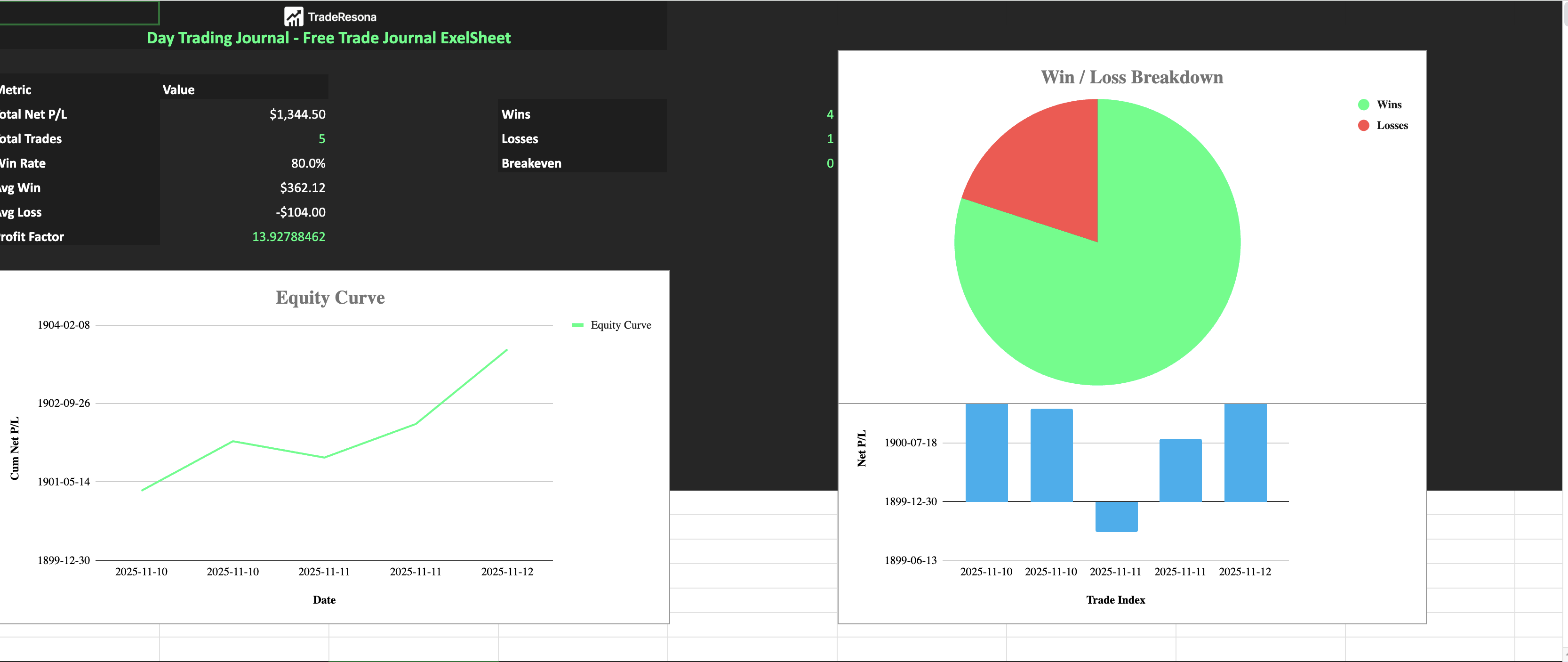
Yes, you can start with a free trading journal template and use it as a simple preview before moving into a full platform like Traderesona. This lets you build the habit, see your stats in a basic way, and upgrade later when you are ready for deeper analytics.
You can download the free template here:
👉 Download the free trading journal template
What this free trading journal template includes
This free sheet is built to feel like a light preview of what a real trading journal app does.
You get:
Columns for date, ticker, market, account, direction, entry, exit, size, and fees
Automatic Gross P/L and Net P/L formulas
Basic R multiple tracking
A simple running P/L so you see your equity curve
Space for setup tags, mistake tags, timeframes, and notes
It is enough to track trades in a clean way and see if journaling fits your style.
When you are ready for more, you can move to Traderesona for AI powered analytics and multi account support instead of staying in a basic sheet.
How to start using the free template
Here is a simple way to get going with zero stress.
1. Make your own copy
Open the template link
In Google Sheets, click File → Make a copy
Save it to your own Google Drive
Now you have your own version you can edit freely.
2. Look at the demo trades
The sheet includes demo trades so you can see:
How the formulas work
How the columns are used
How the totals and basic stats respond
Scroll through the rows and pay attention to:
Entry, exit, and size
How Gross P/L and Net P/L update
How the running P/L line builds over time
This is a simple preview of what a structured journal feels like, similar to a small slice of what Traderesona does automatically.
3. Replace demo rows with your own trades
Once you understand the layout:
Delete or overwrite the demo rows
Add your own trades one by one
For each trade, fill in:
Date
Ticker and market
Long or short
Entry price and exit price
Quantity and fees
Setup tag
Any mistake tag if you broke your rules
Notes on why you took the trade
The formulas will update your P/L and running P/L automatically.
4. Use tags to track behavior
The template includes simple text columns for:
Setup Tag
Mistake Tag
Use them to track:
The setups you are trying to focus on
The mistakes that show up again and again
Examples:
Setup tags: “Breakout”, “Pullback”, “Reversal”, “Trend”
Mistake tags: “Chase”, “No Stop”, “Too Big”, “Revenge”
Over time, you will start to see which setups work and which mistakes cost you the most. This is the same type of behavior focus that a full app like Traderesona is built around, just in a simpler form.
5. Do a quick weekly review
At the end of the week, use the template to review:
Total trades
Wins vs losses
Net P/L
Your most common mistake tag
Your most profitable setup tag
Ask yourself simple questions:
What should I stop doing next week
What should I do more of
Did I break my own rules
You can track these in the notes column and treat this sheet as your starter journal until you want something more advanced.
When to upgrade from this free template
This free template is enough to:
Build the habit of logging trades
See basic P/L and R multiple
Start tracking setups and mistakes
You will know it is time to move to a dedicated tool when:
You are tired of typing trades by hand
You have multiple accounts or brokers
You want deeper stats without building formulas
You want easier behavior tracking and AI insights
That is when a focused journal like Traderesona starts to save time and give you a clearer picture than a basic sheet can.
Summary
You can use a free trading journal template to start logging trades without paying for software. This sheet gives you structured columns, real P/L formulas, and simple tags so you can build the journaling habit and see your trading more clearly. When you are ready for automatic imports, deeper analytics, and a cleaner dashboard made for active traders, you can move from this free preview into a full platform like Traderesona at traderesona.com.