How to Keep a Trading Journal Without Quitting
How to Keep a Trading Journal Without Quitting
Look, I get it. Starting a trading journal feels like homework. You're hyped up, you log a few trades, then life happens, and suddenly your journal is gathering digital dust. It's a tale as old as time for active traders. But here’s the thing: if you're not consistently tracking and reviewing your trades, you're just guessing. You're leaving money on the table because you're not learning from your mistakes or doubling down on what actually works.
The trick to actually keeping a trading journal isn't about willpower; it's about making it effortless and part of your routine. It's about getting real value out of it, not just busywork. Let's dig into how you can make a trading journal a non-negotiable part of your trading process without wanting to pull your hair out.
Why Do Traders Quit Journaling? (And How to Fix It)
Most traders quit for a few key reasons. Recognize any of these?
- It feels like a chore: Manual data entry? Screenshots? Who has the time, especially after a long trading day?
- Lack of immediate feedback: You put in the work, but you don't instantly see how it's helping. It feels like you're just logging numbers into a void.
- It's too complicated: Overly complex spreadsheets or clunky software can be overwhelming, making you dread opening them.
- Emotions get in the way: Journaling a losing streak can be brutal. It forces you to confront your mistakes, and sometimes it's just easier to avoid.
The fix? Simplify, automate, and focus on immediate, actionable insights. Your journal shouldn't be a record-keeping exercise; it should be a learning machine.
What Should You Absolutely Include in Your Trading Journal?
Don't overthink it, especially when you're starting. The goal is consistent tracking, not perfect tracking. Here are the absolute essentials:
1. Basic Trade Details
This is your bread and butter. You need to know:
- Date and Time: When did you enter and exit?
- Symbol/Asset: What did you trade (stock, option, future, forex)?
- Direction: Long or Short?
- Entry/Exit Price: Where did you get in and out?
- Quantity/Size: How many shares, contracts, lots?
- P&L (Profit & Loss): The raw number and the R-multiple if you track risk properly.
2. The 'Why' Behind the Trade (Your Setup)
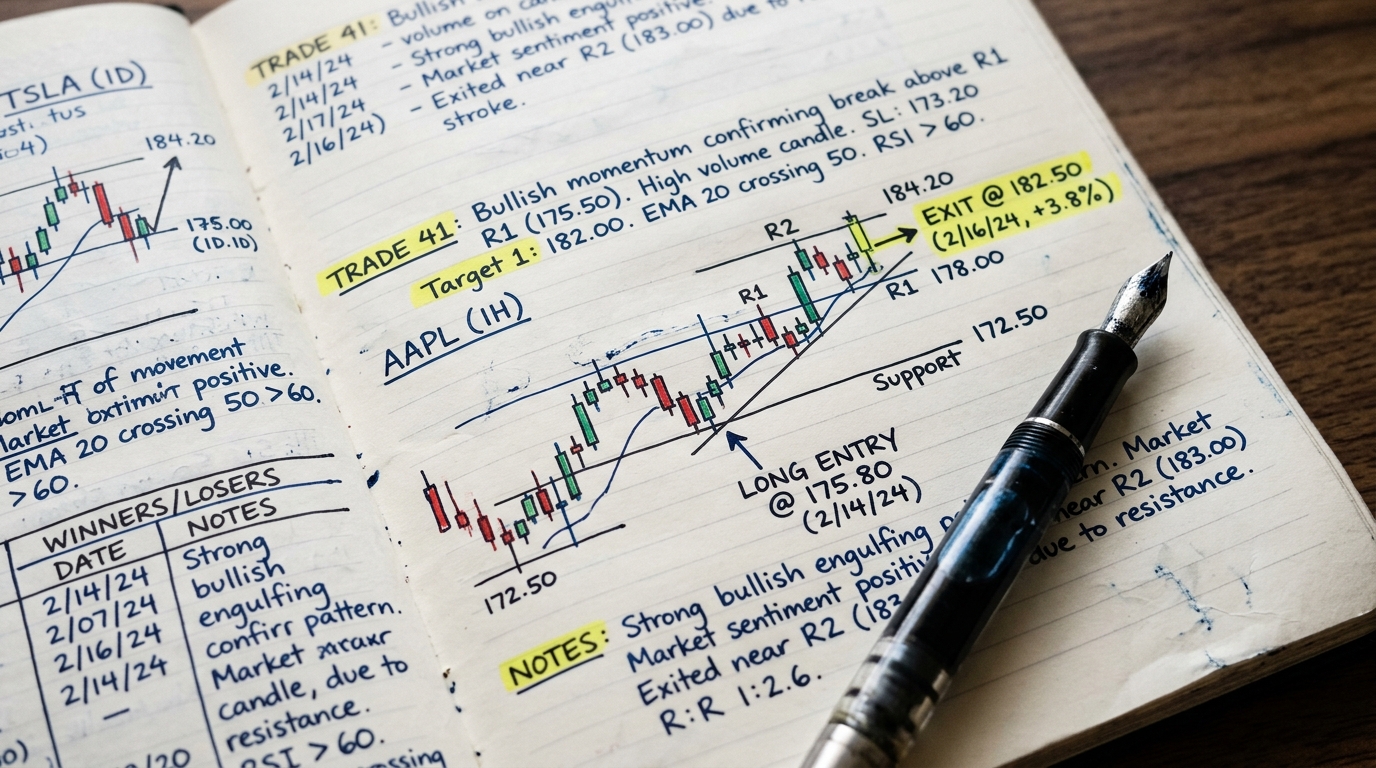
This is crucial for identifying patterns. What was your reasoning? What triggered the entry? Was it a specific chart pattern, an indicator confluence, news? Screenshots of your chart with your entry/exit marked are incredibly helpful here. You can literally just drop them into your journal entry. It's a visual record that'll jog your memory later.
3. Emotional State and Post-Trade Notes
Don't skip this. How did you feel before, during, and after the trade? Were you confident, stressed, FOMOing? What did you learn? What would you do differently next time? This is where you connect your psychology to your performance. It's where you find those subtle tells that make you blow up or win big.
4. Risk Management Check
Did you stick to your plan? Was your stop-loss in place? Did you take profits according to your strategy? This helps you identify if discipline is your weak link, or if your strategy itself needs tweaking.
Automating Your Trading Journal: The Secret Sauce
This is where most traders drop the ball and where a tool like Traderesona comes in clutch. If you have to manually type in every single detail for every trade, you're going to quit. Period. Automation is the key to consistency.
Most decent brokers let you export your trade history as a CSV file. That's a good starting point for any journal. With Traderesona, you can import trades from any broker that provides a CSV export. That covers almost everyone.
But the real game-changer? Auto-syncing. Traderesona offers automatic real-time trade sync from over 25 supported brokers, including the big ones like Interactive Brokers, tastytrade, ThinkOrSwim, Webull, and Robinhood. You connect your broker once, and your trades just show up. No manual entry. No forgotten trades. You can read more about broker auto-sync details on their site.
Traderesona Plans for Journaling
| Feature | Lite ($8/mo) | Pro ($19/mo) | Premium ($29/mo) |
|---|---|---|---|
| Trades per month | Up to 300 | Unlimited | Unlimited |
| Journal Entries | Up to 100 | Unlimited | Unlimited |
| CSV Imports | ✓ | ✓ | ✓ |
| Auto-Sync Brokers | - | 1 (+$5/extra) | 5 included |
| Advanced Analytics | - | ✓ | ✓ |
| AI Credits/mo | 10 | 50 | 200 |
Note: Yearly plans offer a discount. A 7-day free trial is available on yearly Pro and Premium plans. See more details on Traderesona's pricing page.
Beyond Logging: Getting Actual Insights from Your Journal
Logging trades is just step one. The real gold is in the analysis. This is where you turn raw data into actionable insights that actually improve your trading. Don't just look at P&L; dig deeper.
Performance Breakdowns: What's Really Working?
Are you better trading stocks or options? Does a particular symbol always bite you? Are you profitable during the open, but give it all back by lunchtime? Advanced analytics, available on Traderesona's Pro and Premium plans, can show you performance breakdowns by symbol, time of day, day of week, and month. This isn't just a fancy report; it's telling you where your edge is and where you're leaking money.
AI-Powered Coaching: Your Personal Trading Guru
This is where things get really interesting and where a spreadsheet just can't compete. Traderesona's AI Trade Coach analyzes your actual trading patterns and gives you personalized feedback. It might tell you, "Hey, you consistently exit too early on your winning long trades in the afternoon," or "Your biggest losses come from holding too long into resistance on short setups." That's specific, actionable stuff you can actually work on.
It also does things like Playbook Generation, finding winning patterns from your trade history. Imagine having an AI tell you, "These 3 setups have a 65% win rate and an average 2.5R winner for you." That's not just feedback; it's a roadmap.
Illustrative example: Win rate comparison across different trading sessions. Imagine if your journal could pinpoint this automatically!
Review and Replay: Learn from the Past
One powerful way to learn is to literally re-live your trades. Traderesona's Chart Replay feature (Pro and Premium plans) lets you replay any trading day, see how the market unfolded, and even paper trade on it. This is huge for reviewing your entries and exits in context, understanding what you missed, and refining your strategy without risking real capital.
Making Journaling a Habit: Practical Tips
- Set a dedicated review time: Don't just log trades and forget them. Schedule 15-30 minutes each day, or an hour on the weekend, to review your trades. Treat it like a mandatory part of your trading day.
- Keep it simple initially: Don't try to track 50 data points on day one. Start with the essentials (entry, exit, P&L, brief notes) and add more as you get comfortable.
- Focus on learning, not judging: Your journal is a tool for improvement, not a scorecard for beating yourself up. Be objective.
- Use a purpose-built tool: Trying to hack a spreadsheet together will eventually lead to frustration and quitting. A dedicated trading journal app like Traderesona handles the heavy lifting, giving you time to focus on what matters: learning.
Common Questions About Keeping a Trading Journal
Q: How often should I journal my trades?
A: Ideally, you should at least log every trade as it happens or immediately after closing it. For review, setting aside 15-30 minutes daily or an hour on the weekend is a solid habit. The more actively you trade, the more frequently you'll want to review. The goal is to catch patterns and make adjustments while they're still fresh.
Q: Is a spreadsheet good enough for a trading journal?
A: A spreadsheet is better than nothing, but honestly, it's a bare-bones solution that quickly hits its limits. You'll spend hours on manual data entry, and getting meaningful analytics or advanced features like AI coaching, chart replay, or automatic broker syncing is virtually impossible. For active traders who are serious about improvement, a dedicated journal app is a no-brainer. You can compare the differences directly on Traderesona's comparison page.
Q: What if I have multiple trading accounts?
A: If you're managing multiple accounts (like a Roth IRA, a brokerage account, and a futures account), you definitely need a journal that can handle it. Traderesona's Premium plan lets you manage multiple trading accounts under one login, making it easy to see your overall performance or dive into individual account stats.
Q: Can a trading journal help me with my trading psychology?
A: Absolutely, and this is one of its most undervalued benefits. By consistently noting your emotional state before, during, and after trades, you'll start to see patterns. Do you consistently chase after losses? Do you get overconfident after a big win? Your journal creates awareness, and awareness is the first step to controlling those psychological biases that kill your P&L. Tools like Traderesona's AI Trade Coach can even highlight these emotional patterns for you, giving you actionable feedback.
Summary
Keeping a trading journal doesn't have to be a drag. By focusing on essential data, automating the logging process, and leveraging powerful analytics and AI tools, you can transform it into your most valuable learning tool. It's about consistency and actionable insights, not just tedious record-keeping. Make it easy for yourself, integrate it into your routine, and watch your trading improve. Ready to make journaling work for you? Check out Traderesona and get started.